


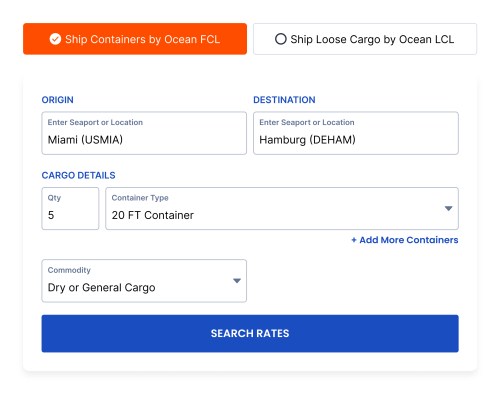


What Does VelocityOS Freight Quoting Software Do?
VelocityOS Quote Management helps freight forwarders turn eligible contract, spot and supported live rates into customer-facing quotations. Your team can apply configured pricing rules, organize charges, set terms and expiry, share a link or PDF, and track the quote through revisions and follow-up. The rate source, shipment details and commercial rules affect the final output; available integrations and automation depend on your setup.


Who Uses Freight Quoting Software?
- Sales teams: Prepare a quote with a clear total, validity and next step, then see which offers need follow-up.
- Pricing teams: Use managed rate sources, standardized charge lines and customer-specific pricing rules to review a quote before it goes out.
- - Operations teams: Receive the accepted scope and quote reference when a customer proceeds to booking, subject to final operational confirmation.
Build, Share And Manage Freight Quotes
Build Quotes From Your Rate Sources
Bring together applicable contract or spot rates and supported live connections. Apply the pricing logic configured for the customer, service and lane. Check origin, freight, destination and optional charges before you send. Explore freight rate management.
Present The Full Commercial Offer
Use a branded format to show the route, service scope, charge lines, currency, total, validity, assumptions, exclusions and next step. Share a digital link for a trackable quote or a PDF when the buyer needs a file for internal approval. See quote template options.
Track Versions And Follow-Ups
Review sent, viewed, accepted and expired quote statuses, alongside ownership and customer activity. Revise a quote when the shipment scope or pricing changes, and identify the version being discussed. A view or click is an engagement signal; booking still requires the relevant acceptance and operational checks. How quote tracking works.
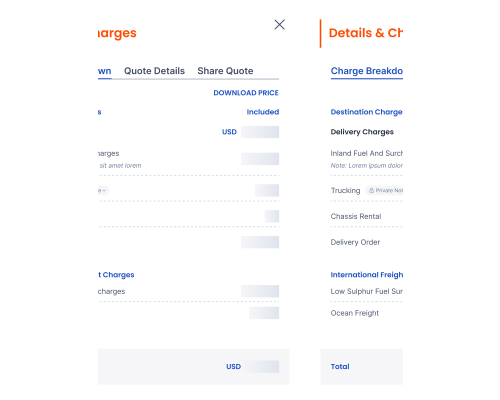
From Rate To Customer Quote
- 1. Enter shipment details, including mode, origin, destination, cargo and requested service scope.
- 2. Select an eligible rate source and check its validity and the charges required for that scope.
- 3. Apply the configured customer pricing, charge grouping, template and any required review.
- 4. Check the customer-facing total, currency, terms, assumptions and quote expiry.
- 5. Share the quote by link or PDF, record changes and follow up on the current version.
Example Of A Customer-Facing Freight Quote
Illustrative layout only. Replace this outline with an anonymized output generated from VelocityOS before publishing. Do not present the illustrative lines below as a live rate or product screenshot.
| Quote field | Example of what to show |
|---|---|
| Reference | Quote ID and revision number |
| Shipment | Origin, destination, mode, cargo or equipment, and service scope |
| Service | Routing or service option, with any conditions that affect the offer |
| Charges | Base freight, origin charges, destination charges and relevant surcharges, grouped with the correct units |
| Total | Customer-facing amount and currency, including what the total covers |
| Validity | Customer quote expiry and any distinct underlying rate validity |
| Terms | Assumptions, inclusions, exclusions and payment terms, as applicable |
| Action | Named contact and a clear next step to request or proceed with booking |
For editable, vendor-neutral layouts, download the air, FCL and LCL freight quote templates. Their filled examples use fictional figures to show the customer-facing structure. To assess the actual VelocityOS output, request a demonstration using your own lane, charge basis and service scope.
Control The Commercial Details
Configure quote templates for service types or customer segments. Add the appropriate terms, notes, charges and expiry date; apply pricing rules and review exceptions according to your team's permissions and workflow. Show the customer the sell price and agreed scope without exposing internal buy rates or margin calculations. Review template and branding choices.
Track Each Quote From Send To Decision
Filter quotes by agent, customer, route or status to see where follow-up is needed. When a customer requests a change, identify the current revision and recheck the rate and expiry before resending. A commercially accepted quote can move into the booking workflow, with shipment details and availability confirmed as required. Learn about quote tracking.
Where AI Supports Quoting
VelocityOS describes AI support for organizing rate and charge data and helping teams prepare quotation inputs. Pricing rules, rate validity, missing charges and any required approval should still be reviewed in your configured workflow before a customer receives an offer. Ask for a live demonstration showing which steps are automated, which need a team member, and how exceptions are recorded. Explore AI freight quoting controls.
How quote management works in Velocity
- Rates and charges are standardized in rate management
- Templates apply terms, validity, margins, and charge structure
- Generate and share via link or pdf
- Track viewed/accepted/expired and follow-ups
- Accepted quotes convert into bookings (and hand off downstream)
How AI Works in Quotations
Velocity uses AI to accelerate freight quotations by combining centralized rate data, standardized charges, and automated pricing logic into one controlled workflow. The platform helps teams compare options faster, apply templates, margins, and validity rules automatically, and generate accurate multi-modal quotes in seconds while keeping final pricing decisions aligned with the forwarder’s commercial strategy. Learn more about Velocity's AI-powered freight platform.
Explore AI freight quoting controls for missing-data handling, pricing validation and approval before sending.
85% +
FASTER RESPONSE TIME
35% +
HIGHER CONVERSION
45% +
REVENUE BOOST
Frequently asked questions
Freight quoting software helps a forwarder assemble shipment rates, charges and selling rules into a customer offer with a defined service scope, total, validity and terms. VelocityOS also supports quote sharing, revisions and follow-up within its Quote Management workflow.
The quoting workflow can use applicable contract and spot rates held in Rate Management. Live rate sources are available where a supported connection is enabled. Ask the team to demonstrate your specific carrier, lane and service requirements. See how rate sources feed quoting.
At minimum, show the route and service scope, customer-facing charges and currency, total, expiry date, assumptions, exclusions and the next step. Where an underlying supplier rate has a separate validity window, check both dates before sending.
VelocityOS describes both digital link sharing and branded PDF output. A link can support activity tracking; a PDF can support a buyer's internal approval process. See how sharing works.
Commercial acceptance is a step toward booking. The team may still need to check current rates, capacity, shipment details, documents and operational requirements before confirming the booking. Understand quote statuses.
Questions To Ask In A Freight Quoting Software Demo
- Can you create a quote using one of our actual lanes and a recent rate sheet?
- Which contract, spot and live rate sources work for our carriers and modes?
- How are local charges, surcharges, currencies and units displayed in the customer output?
- What happens when a rate has expired or the shipment details are incomplete?
- Who can edit charges, override pricing or approve an exception?
- Can you show the original quote, a revised version and the offer the customer accepted?
- What does the customer see in a link and in a branded PDF?
- What information moves to our CRM, TMS or booking process, and what needs configuration?